Launch city-based screen campaigns with clear targeting and measurable delivery
Choose target cities, set campaign dates, control screens per day, and track spend, plays, and QR scans from one dashboard.
Approved Screens In Network
Campaigns run on approved local screens across the Kindlyr network instead of broad untargeted placements.
Cities Covered
See how many cities are currently covered across the network.
Live Reporting
Advertisers can review spend, plays delivered, QR scans, and campaign progress after launch.
See how local ads look on real screens
These examples help advertisers picture the channel clearly: a campaign appears inside everyday local venues, surrounded by the context that makes the message feel nearby and relevant.
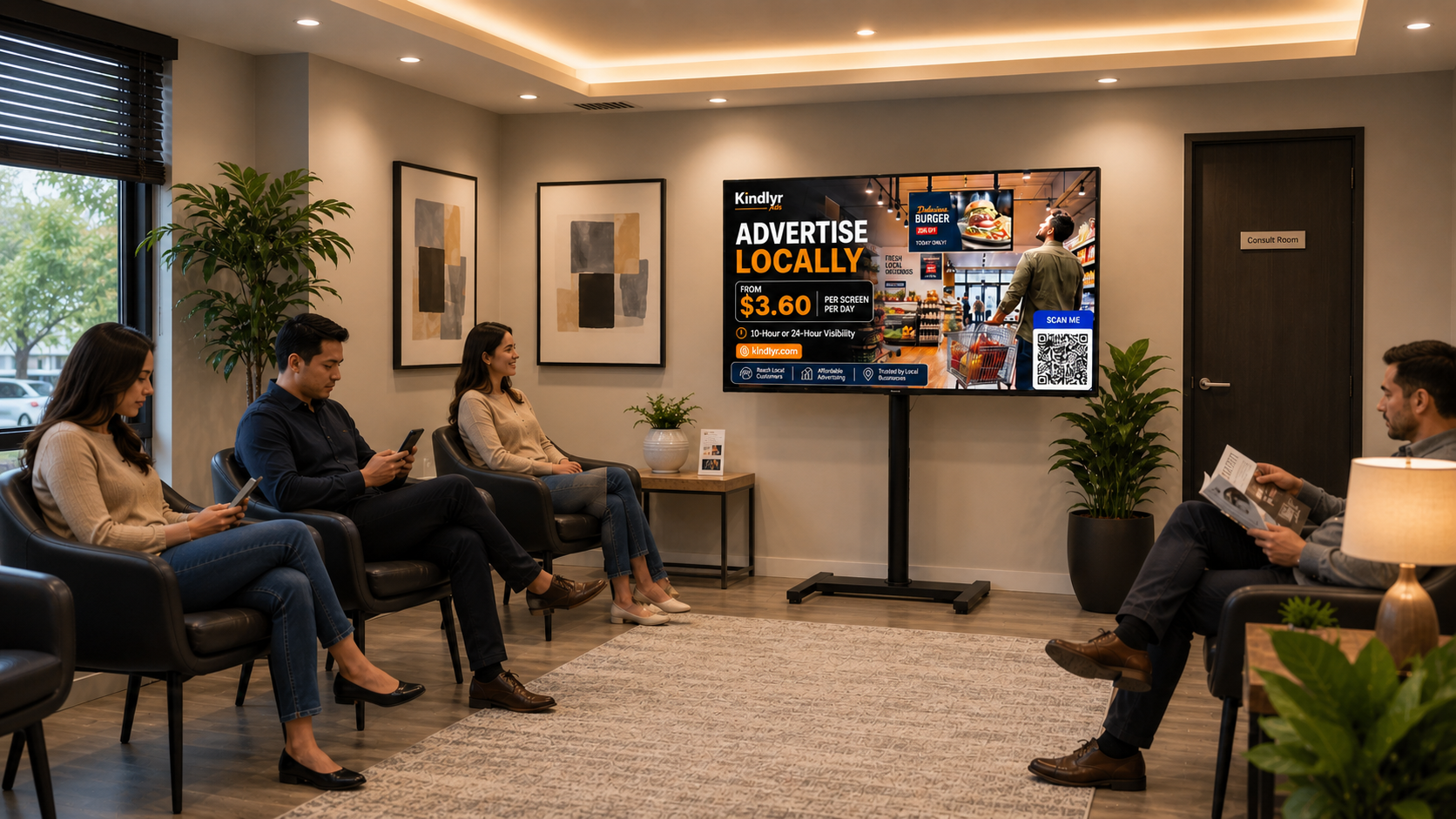
Waiting-room visibility
Show up in calm, high-attention spaces where customers are already seated and looking around.
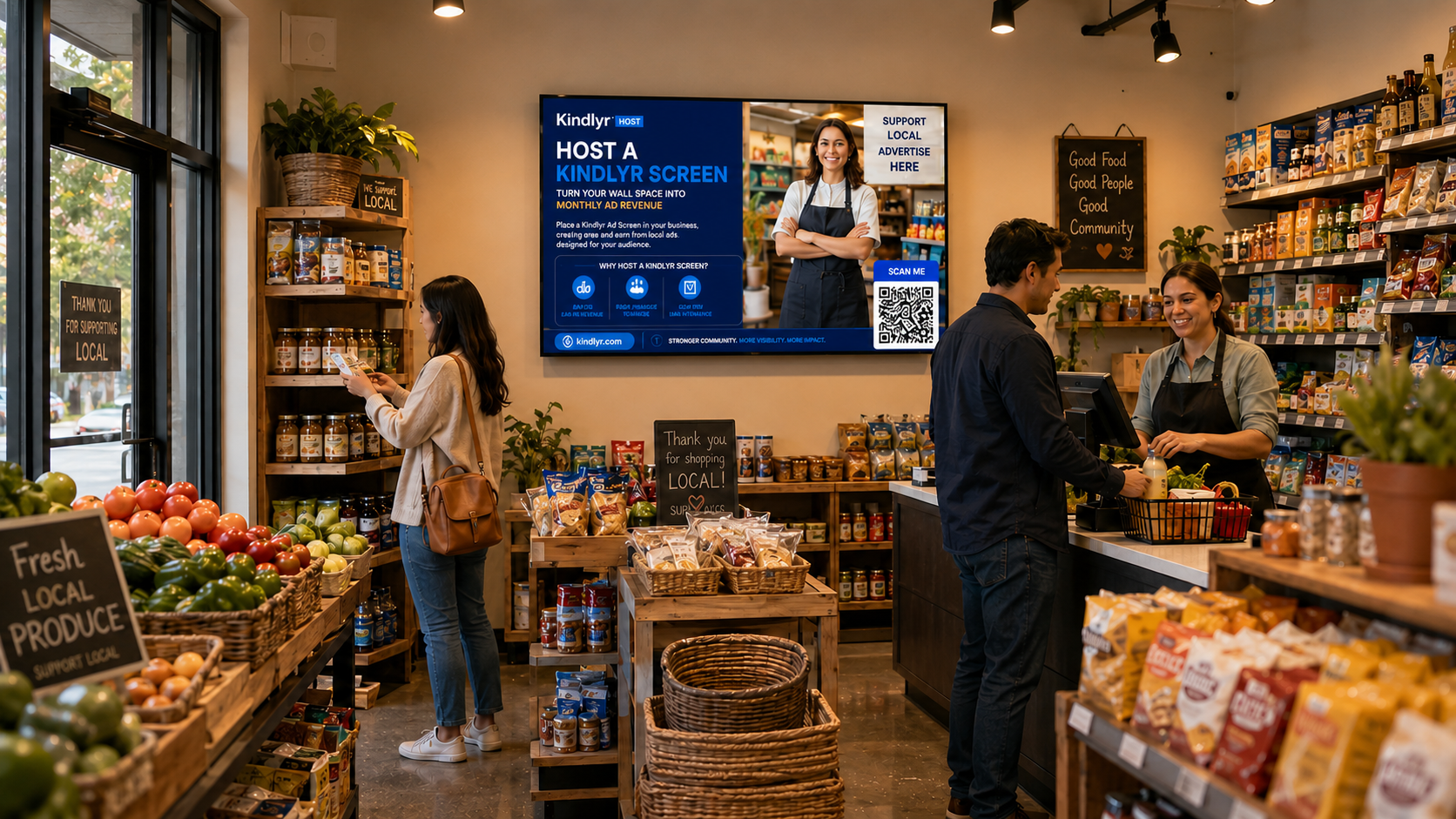
Retail host screens
Place local messages inside active neighborhood shops near checkout, shelves, and daily foot traffic.
Need help creating your 8-second ad?
Find approved video creators who understand Kindlyr Ads screen format, QR code spacing, and local business advertising.
Where your campaign can appear
Run ads on verified local screens in real businesses where people wait, browse, work out, shop, and spend time.
Verified local placement context
Preview the kind of local environments your campaign can access before you ever launch.
Approved screens in network
5
Local view
Optional
Use browser location
Share your location to personalize this snapshot, or browse all screens.
Common venue contexts
What advertisers actually get
Kindlyr is strongest when the offer is concrete: local targeting, clear campaign controls, and measurable delivery.
Target by city and venue context
Choose the local areas that fit your market instead of paying for broad untargeted reach.
Control screen volume and schedule
Set your dates, hours mode, and screens per day so spend stays aligned with your plan.
See delivery as it happens
Review spend, plays delivered, QR scans, and campaign progress from the advertiser dashboard.
What advertisers can control before launch
Plan with more confidence by seeing the exact campaign settings you can control before you launch.
Target locations
Choose the cities where your campaign should run and confirm them before launch.
Set campaign dates
Define your campaign window so delivery matches the timing of your promotion.
Limit screens per day
Control how many screens your campaign can appear on during a single day.
Choose hours mode
Select 10-hour or 24-hour delivery based on how aggressively you want to run.
How Kindlyr launch actually works
Create the campaign, choose your delivery controls, pass review, then fund and activate with a clear workflow.
1. Upload final creative
Add your campaign name, business category, and final image or video creative.
2. Choose cities and dates
Pick your target locations and schedule before submitting the campaign.
3. Set delivery controls
Choose hours mode, screen count limits, and the pace that fits your budget.
4. Submit, approve, and activate
Campaigns are reviewed first, then funded through secure checkout before delivery begins.
Plan with clear guardrails
See the planning controls that shape budget, pacing, and launch before you fund the campaign.
- Target campaign locations by city
- Set campaign start and end dates
- Choose hours mode: 10h or 24h
- Limit screens per day
- Review the daily rate per screen before launch
- Pay and activate only after approval
Show advertisers the reporting they will actually see
Concrete reporting is what makes advertisers trust a new channel. Kindlyr already tracks the campaign signals they care about.
- Spend visibilityAdvertisers can see how much budget has been used as campaigns progress.
- Plays deliveredTrack campaign delivery volume with live or recent reporting.
- QR scansMeasure direct response from campaigns that use QR calls to action.
Sample advertiser dashboard signals
These are the kinds of reporting signals advertisers can review after launch.
Campaign status
Approved / Active / Ended
Target locations
City-based targeting
Delivery metrics
Spend, plays, QR scans
Budget visibility
Used vs remaining
Why local advertisers keep using Kindlyr
""We could choose the exact city we wanted, keep a clear spend limit, and watch delivery every day from the dashboard.""
Aisha R.
Restaurant Owner, Winnipeg
""The platform made it easy to plan a local campaign without buying broader media we did not need.""
Maya S.
Clinic Director, Brampton
""The biggest win for us was visibility. We could track campaign activity and adjust future promotions with more confidence.""
Chloe T.
Cafe Owner, Vancouver
Questions advertisers ask before they launch
Get clarity on pricing, targeting, launch timing, and reporting before you create your campaign.
SECURED BY
Stripe
Firebase
What Kindlyr Ads is, how it works, and where the network is growing
Kindlyr Ads helps local businesses, hosts, and partners understand the platform quickly by keeping the business model, workflow, and market coverage clear.
Current network footprint
Kindlyr Ads currently tracks 5 approved screens across 1 cities.
Current city coverage includes Brandon.
What Kindlyr Ads is
Kindlyr Ads is a local digital advertising network built around community screens in real businesses and public-facing venues.
How the platform works
Businesses choose cities, submit creative, and launch campaigns into a managed screen network.
Who it helps
The platform is built for local businesses, host venues, agencies, and community operators.
Where screens are located
Screen inventory grows through customer-facing venues in active local markets.