Turn the screens you already own into a new revenue stream
Kindlyr Ads helps customer-facing businesses earn from existing TVs and displays with approved local advertising, guided setup, and full control over what plays.
Use the screens you already have
Customer-facing TVs and digital displays can often qualify without a brand-new installation.
Protect your venue experience
You stay in control of categories, schedules, and what feels appropriate for your space.
Track activity clearly
Follow screen status, performance, and payout visibility from the host dashboard.
See how hosted advertising can look in your space
These examples show the host experience clearly: a screen becomes part of the venue environment, shows approved local ads, and keeps the business atmosphere professional.
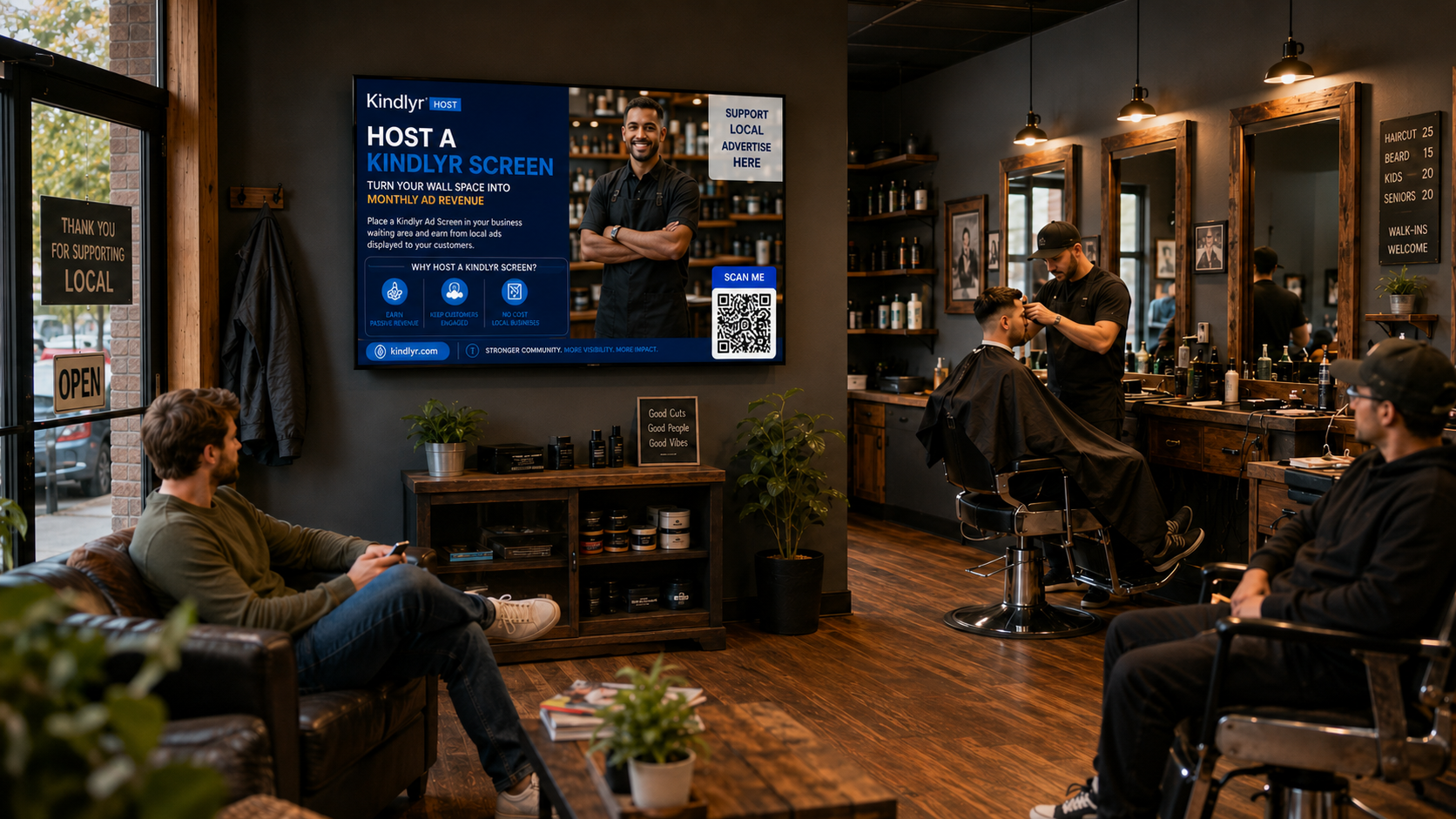
Natural in active service venues
A hosted screen can sit inside the customer experience your business already has, giving guests local messages while your team keeps working.
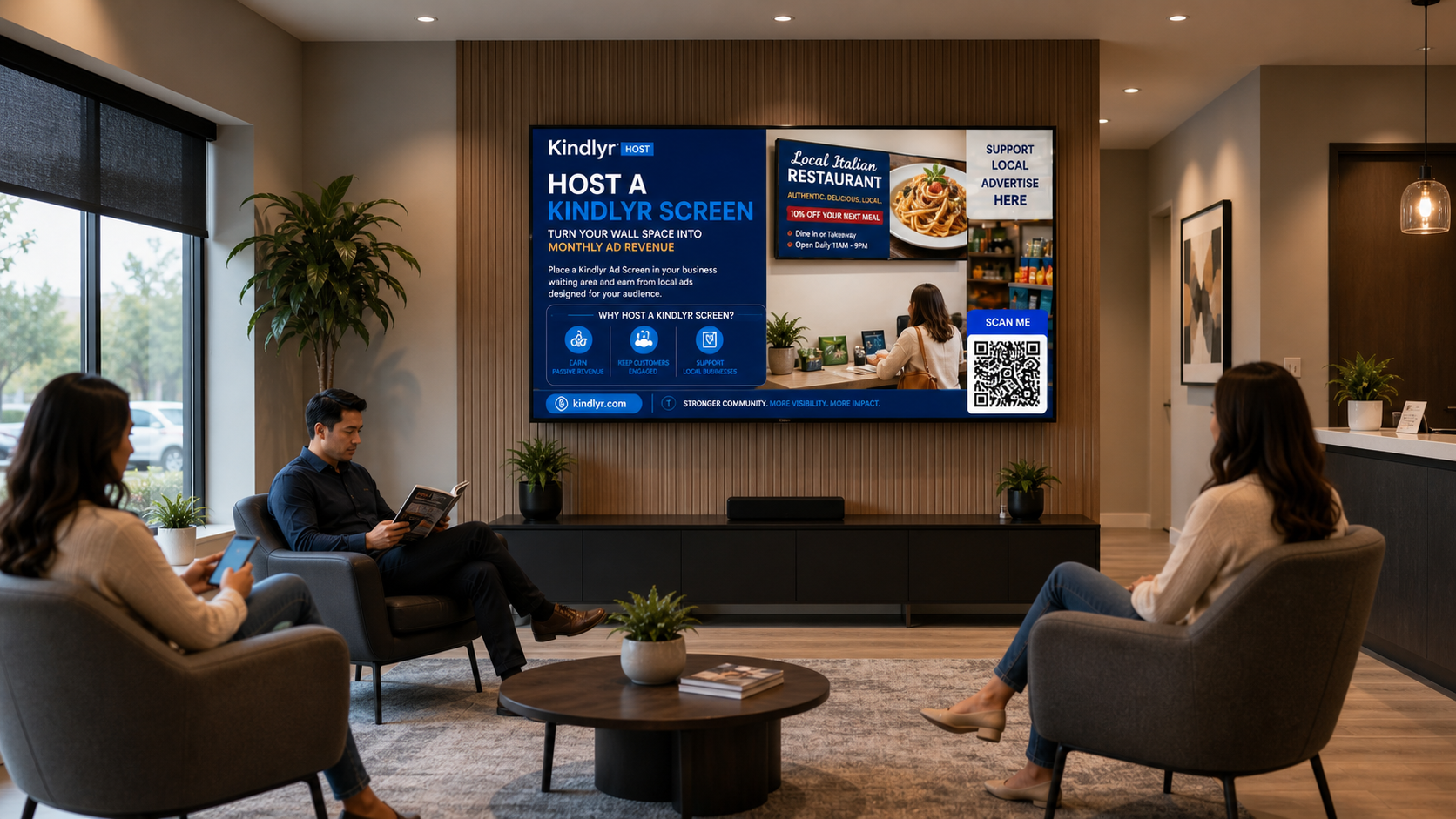
Visible in waiting areas and lobbies
Screens in calm waiting spaces help customers understand local offers while hosts keep the room polished and professional.
Why businesses become hosts
The strongest host opportunities are visible, easy to set up, and built to fit the customer experience you already run.
Earn From Existing Screens
Use TVs and digital displays you already operate to unlock incremental revenue without adding a new sales job to your team.
No Ad Sales Required
Kindlyr handles advertiser demand, campaign delivery, and platform support so you can stay focused on your business.
Keep Venue Control
Approve categories, define display windows, and protect the atmosphere you want customers to experience.
Promote Your Own Business Locally
Approved Kindlyr hosts receive 2 Own-Screen Promo Slots and 1 Community Promo Slot for their own business.
Own-Screen Promo Slots let your approved mini promos play on the screen or screens you host. Your Community Promo Slot may be shown on other eligible Kindlyr screens in your city when available.
Reviewed before going live
All Host Promos must be reviewed and approved by Kindlyr before they go live.
These free promo slots are only for the Host's own business. They cannot be used to advertise another business, sell ad space, transfer the slots to someone else, or promote a business the Host does not own.
Community Promos only play on other screens when approved by Kindlyr, active on at least one of your hosted screens, allowed by the receiving screen's competitor protection settings, and when inventory is available.
2 Own-Screen Promo Slots
1 Community Promo Slot
No advertising another business
No selling ad space
No transferring slots
No guaranteed screen count
Best for spaces where customers wait, browse, or spend time
Host performance is usually strongest when the screen is visible, the venue is active, and customers spend real time in the space. This is where Kindlyr Ads tends to feel natural instead of intrusive.
Common venue types
These are examples of businesses where a host screen often has strong visibility and a better chance of performing well.
Usually a strong fit
Waiting areas, checkout zones, workout floors, lounges, and customer seating areas.
What we look for
Visible placement, consistent hours, reliable internet, and a professional in-store experience.
What actually affects host earnings
Hosts need more than the phrase "passive income." Your revenue opportunity depends on the number of qualified screens, how visible they are, how long they run, and how much advertiser demand exists in your market.
Honest expectation setting
Kindlyr Ads should be treated as incremental revenue, not a guaranteed fixed payment. We surface screen performance clearly so you can judge whether hosting makes sense for your business.
What usually improves host performance
Visible screens, steady operating hours, reliable internet, and customers who actually spend time near the display.
Number of active screens
More approved screens create more available ad inventory inside your venue.
Audience visibility
Screens near waiting, checkout, browsing, or workout areas usually create stronger value.
Hours your screens run
Longer, more consistent operating hours create more opportunities for paid placements.
Local advertiser demand
Your payout potential depends on how many businesses want to reach your audience.
.jpg?alt=media&token=c4360248-19a1-4d93-a3a9-44674fc9a777)
Basic things we look for before approval
Before a screen goes live, we usually want the fundamentals below to be in place.
- An internet-connected screen or compatible player
- A customer-facing placement that people can actually see
- Consistent business hours in a professional venue
- Willingness to display approved local advertising
Hosting should fit your business, not disrupt it
Good host venues usually have visible screens, reliable hours, and customers who spend time in the space. We help you assess fit before you commit.
You stay in control
Content Approval
Approve ad categories that align with your brand and customer expectations.
Scheduling Rules
Choose when ads can appear so your own programming and promotions still come first.
Transparent Dashboard
See active screens, performance, and payout activity in one place.
How becoming a host works
Tell us about your venue
Share your business type, location, screen setup, and where customers actually see the display.
We review fit and help with setup
If your space qualifies, we help connect the screen and explain exactly how hosting works.
Approved ads go live
Campaigns run on your schedule while you track screen activity and payouts in the dashboard.
Download Kindlyr Player
Kindlyr Player is built for Android TV devices and is not optimized for phones or tablets.
Install on your screen device
Android TV and compatible TV player devices.
Tip: open this page on the Android TV device or use the Google Play listing from that device for the cleanest setup.
Questions hosts usually ask before applying
The goal is to remove guesswork early, so hosts understand fit, control, and what drives results before they commit.
See if your venue is a strong fit
Apply to become a host and we will review your screens, explain the setup, and show you how Kindlyr Ads can work in your space.